Server Technology Products Rack Power Management & Distribution Units

Sentry Power Manager - SPM Products

New product search
Log into the Online Demo
User: webdemo
Password: webdemo
SPM DATASHEET OPERATIONS MANUAL POPS BROCHURE WEBINAR

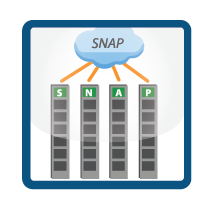
Sentry Power Manager Architecture

The Sentry Power Manger (SPM) is capable of providing:

• A central interface to access multiple network monitored sentry power distribution units.
• Global view of all Sentry power distribution units (Cabinet PDUs) and ability to view devices based on temperature, humidity, current and device status.
• Control all networked Sentry cabinet power distribution units.
• Control Sentry POPS (Per Outlet Power Sensing) Cabinet PDU on a per outlet basis.
• Power information including kW and kW-hour information for billing, power monitoring, trending and power reports.
• IT equipment power information can be used to measure the efficiency in your data center for PUE and DCIE, power efficiency ratings from the Green Grid.
• ODBC compliant database permits power and additional information to be exported to a Building Management System (BMS).
• Managing and monitoring alarm conditions.
• Power consumption for capacity planning.
• Maximize each power circuit by realizing current power being drawn.

Features of v4.1.0 include:

• An operating system change from Windows XP to Linux
• View display size allows scrolling
• Faster Cabinet PDU discovery
• Faster network communications
• Improved alarming and logging with more information and descriptive popup alarm list
• Two new power reports
• Collapsible side menu to increase view display area
• Security and cosmetic improvements based on user feedback
• Upgrade support including automated upgrades

If you have purchased a Software Support Agreement, upgrades are provided free of charge during the life of the agreement. Due to the significance of the 4.1.0 software upgrade related to the operating system change, you will need to consult with Server Technology's Technical Support team or your sales representative in order to establish an upgrade plan for your Sentry Power Manager System. Please contact our support department at support@servertech.com.

 SPM Video Tutorials:

Video-icon SPM - How Do You Add New Cabinet PDUs to SPM

Video-icon SPM - Basic User Actions: Logs, Outlet Control, and Trends

Video-icon SPM - Critical Alarms and Maintenance

Video-icon SPM - How to Configure Cabinet PDUs

Video-icon SPM - How to Organize Locations

Video-icon SPM - How to See the Effects of Power Consumption on Temperature

Video-icon SPM - How to Setup Users

Video-icon SPM - How to Use Billing Reports

Success Story: Looking to Monitor and Collect Aggregate Power Usage Throughout Your Data Center or Multiple Facilities?

Sentry Power Manager  (SPM) Screenshots

Find a screen shot of the interface feature you're interested in learning more about:

Main View
Add User GroupEmail Notification
Group Clusters
LDAP
Network Configuration
Outlet Details
Outlets View
System Log
Cabinet PDU Discovery

Mainview Main View
View your enterprise from a tiered hierarchical view plus different vantage points such as:
- Status
- Load (A)
- Power (kW)
- Temperature
- Humidity
- Capacity

Click here for a Full Image
Add_user_group Add User Group
Allows for user accounts to be created, configured and deleted. Account types can be:
- Administrative User
- Regular User
- View Only User
- Reboot Only User

Click here for a Full Image
Cdu_config CDU (Cabinet PDU) Configuration
Each discovered CDU can be configured from within the Sentry Power Manager (SPM), the following editable fields will push the configurations settings down to the Cabinet PDU:
- Cabinet PDU Enclosure Name
- Cabinet PDU Infeed Name
- Outlet Name
- Infeed Load High-Amp Threshold
- Outlet Load High-Amp Threshold

Click here for a Full Image
 Email_notification Email Notification
Sentry Power Manager (SPM) is a SNMP TRAP destination for the Sentry Smart, Switched and POPS Cabinet PDUs, as a result the alarm notification and informational warnings can be distributed through the manager.

Click here for a Full Image
 Group_clusters Group Clusters
Outlets can be grouped together from a single Cabinet PDU to another, across Data Centers, Cities, Countries and Continents; as long as the Sentry Power Manager (SPM) has the Cabinet PDUs discovered into the system the outlets can be grouped. Outlet grouping allows for control as well as aggregate power readings*
* POPS only

Click here for a Full Image
 Ldap LDAP
User authentication can be done locally within the manager through Role Based Access Control. The Sentry Power Manager (SPM) supports Active Directory with support for LDAP and LDAPS.

Click here for a Full Image
 Network_config Network Configuration
The Sentry Power Manager (SPM) can be easily configured to connect and communicate on your already established network.

Click here for a Full Image
 Outlet_details Outlet Details
Power information per individual outlet includes current, voltage, power (kW), apparent power, crest factor and power factor.

Click here for a Full Image
 Outlets Outlets
Each of the outlets on a Switched or POPS Cabinet PDU can be controlled individually, the control action for the outlets are:
- On
- Off
- Reboot

Click here for a Full Image
 Syslog System Log
A detailed report on all interactions from within the Sentry Power Manager (SPM), who did what and when.  

Click here for a Full Image
Cdu_discovery CDU (Cabinet PDU) Discovery
The Sentry Power Manager (SPM) can search multiple sub-nets for SNMP enabled Cabinet PDUs. Cabinet PDUs can also be added on an individual basis.

Click here for a Full Image
Sentry Power Manager
In/Out Voltage: Global pdu power monitoring and management
Max Capacity: Global pdu power monitoring and management
Outlets/Types: Central Power pdu monitoring and management
Global pdu power monitoring and management
Data Sheet
(PDF)
My Product is Not Listed
  • POPS - Per Outlet Power Sensing PDU

    In addition to Switched PDU reboot abilities for network access to remote sites and data center equipment the Switched POPS Cabinet PDU provides per outlet measurements of current, voltage, power (kW), apparent power, crest factor, and power factor.

  • Switched PDU

    Switched Rack PDU controls network access to remote sites and data center equipment with reboot commands to servers and network equipment.

  • Smart PDU

    View power, temperature and humidity levels via Web browser, and receive SNMP-based traps or email alerts when conditions exceed defined thresholds.

  • Metered PDU

    Meterd rack PDU for local Input Current Monitoring of the power loads on each circuit.

  • Basic PDU

    Reliable power distribution with Branch Circuit Protection.

  • -48 VDC Power Management

    Power for telecom, datacom and network applications in -48 VDC.

  • Fail-Safe Power Redundancy

    Fail-Safe transfer switch supplies single-power equipment with dual, redundant power sources.

  • Console Port Access & Remote Power Management

    Console Port Access equipment and Remote Power reboot commands to connected servers and network equipment.

  • Sentry Power Manager - SPM

    Manage all Network Cabinet power distribution units (PDUS) from one central location.

  • Accessories

    Product Accessories including Environmental Monitoring as well as Power Cords and Cables.

  • View all documents
Order Server Technology CDUs


Bookmark and Share